Weekly study guides
Scan a teacher's word list, review it, remove duplicates, and then add it to the learning library.
 ClassWordsCustom vocabulary that follows school
Designed around real classroom progress
Turn weekly study guides, classroom vocabulary sheets, and words from everyday reading into a personal learning plan. Meaning, spelling, and reading are practiced and tracked separately.
Why a custom library matters
Most vocabulary apps answer “Which English words should I learn?” ClassWords focuses on “What does school expect this week?”
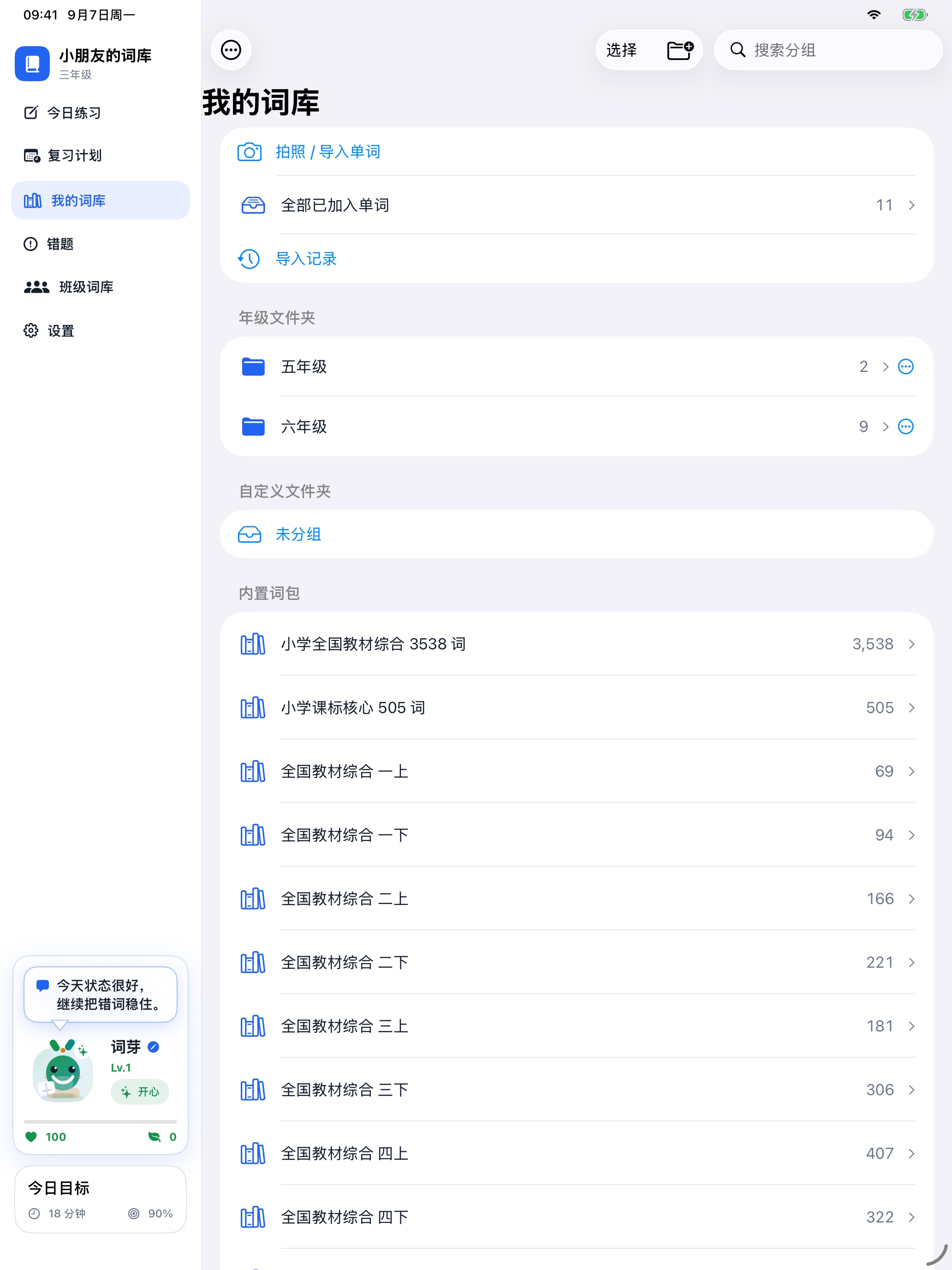
Scan a teacher's word list, review it, remove duplicates, and then add it to the learning library.
Keep new words from books and tutoring in a long-term reading vocabulary collection.
Filter by grade, term, unit, learning requirement, source, and unfamiliarity.
From a worksheet to real mastery
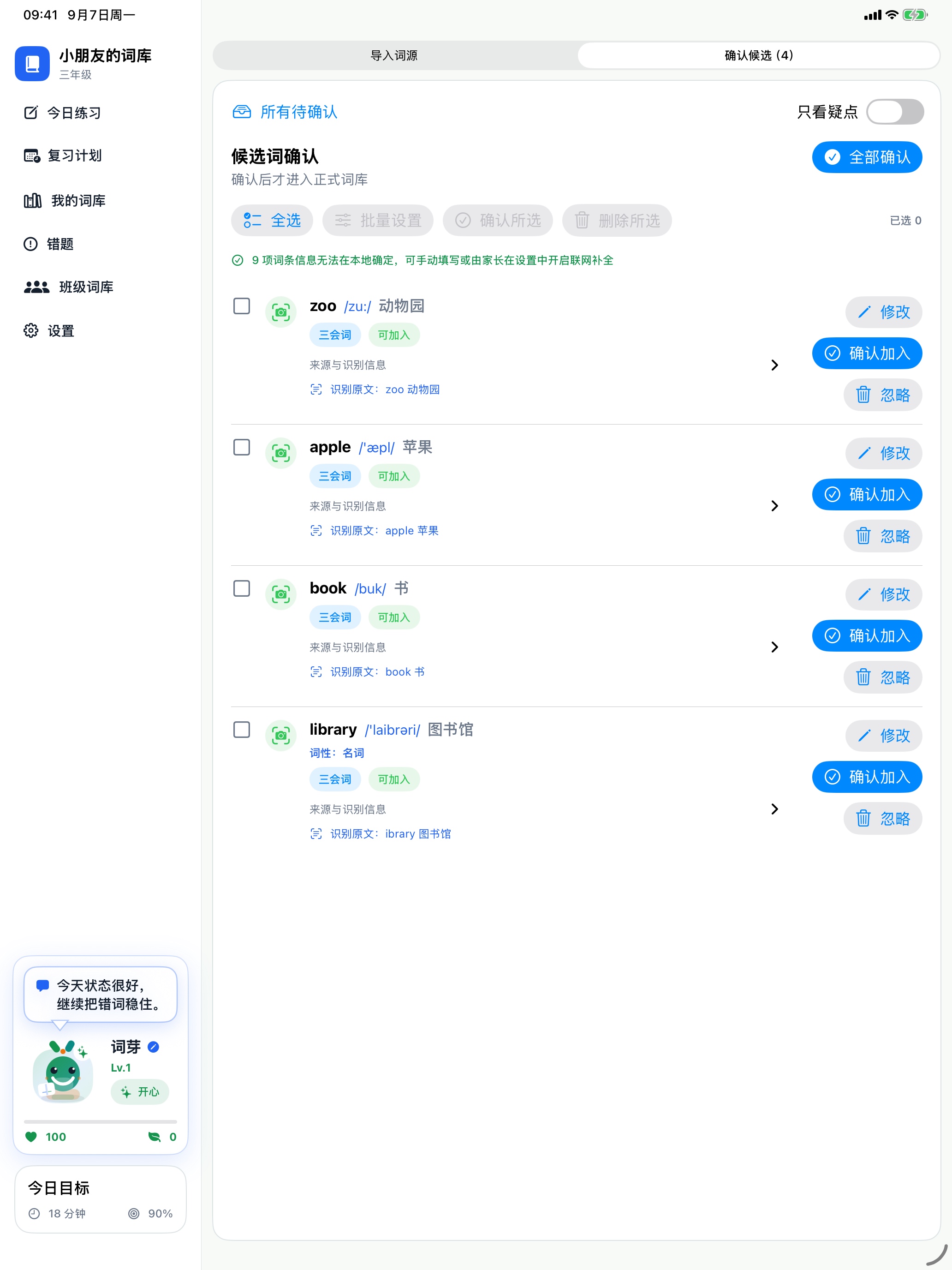
Import from the camera, Photos, text, spreadsheets, or manual entry. Check English, Chinese, parts of speech, and learning-category labels before choosing a destination group. Obvious recognition errors are corrected when possible; ambiguous formatting changes are offered for confirmation.
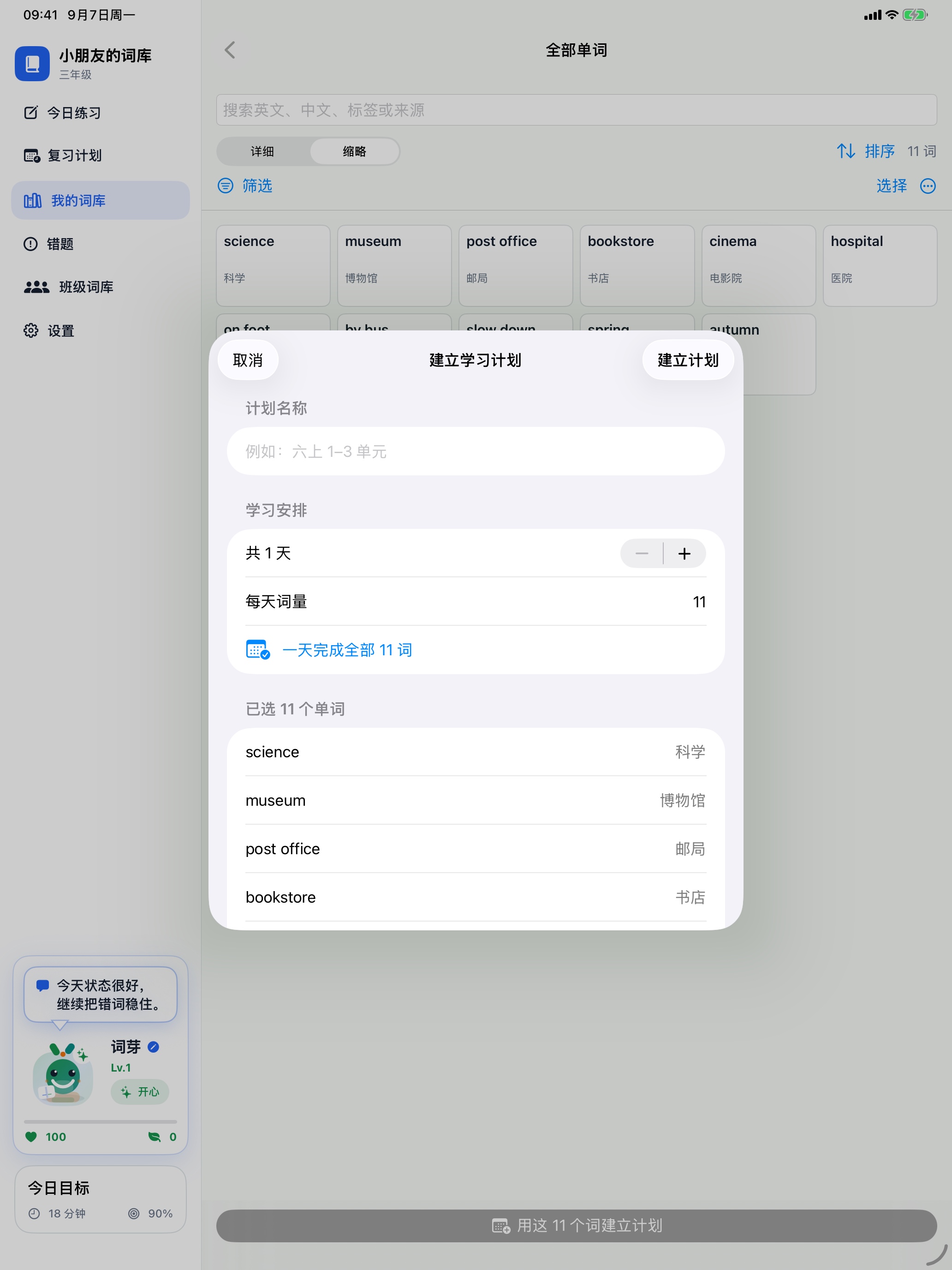
Combine one or more groups, from a few units to a whole semester or several grades. Filter by learning category and unfamiliarity, then set the daily word count and duration. You can schedule all selected words for a single day.
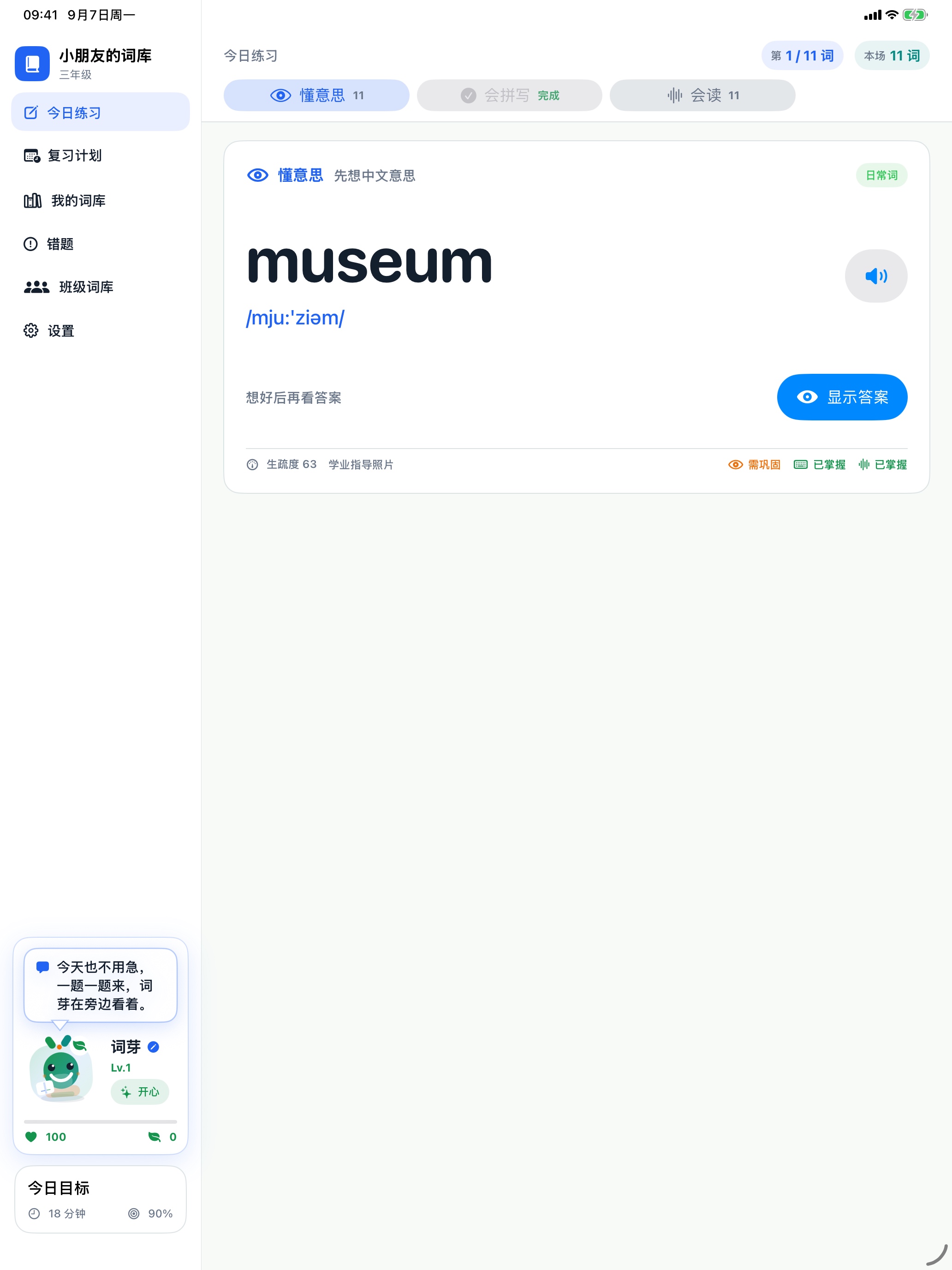
Meaning, spelling, and reading are tracked independently for every word. Learners can switch the practice order while keeping separate progress in each skill.
Parent-controlled data
On-device firstVocabulary, plans, and practice history are stored locally by default.
Online features are optionalLookup sends English entries only. Joining an iCloud classroom also shares classroom details and learning summaries, as explained in the Privacy Policy.
Parents control backupsExport a complete backup or save it in the family's private iCloud space.
Need help?
Visit support for common answers or contact us directly by email.
Open Support